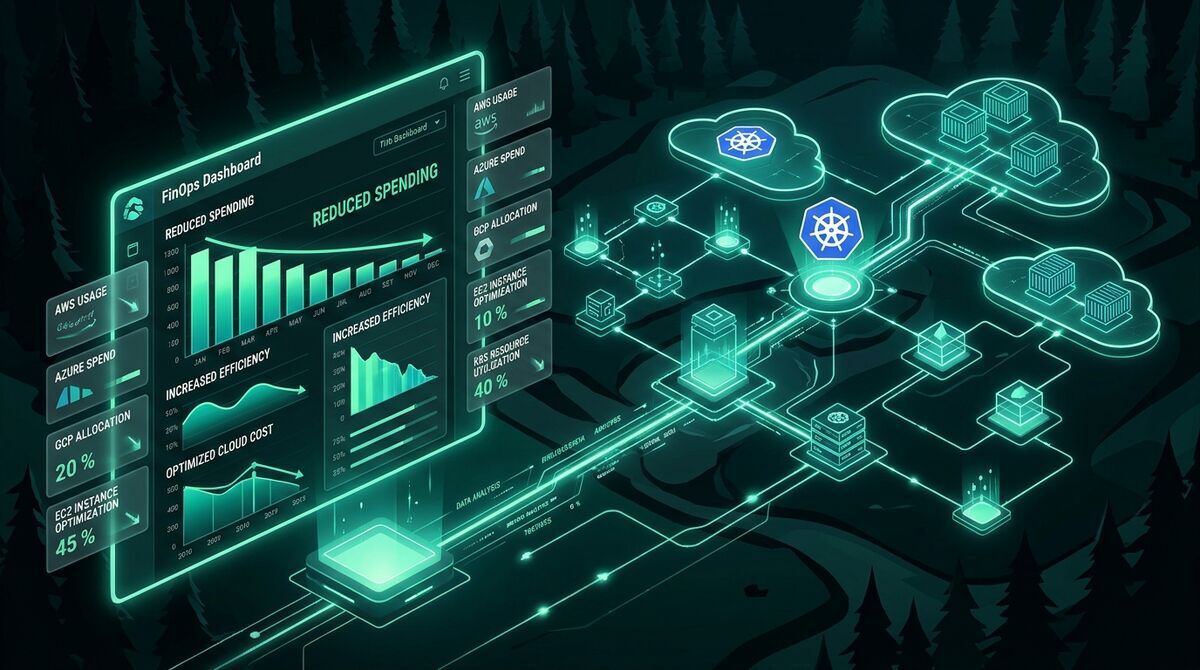
Cloud Cost Optimization Strategies: Enterprise FinOps and Unit Economics Architectural Guide
"Comprehensive technical architectural guide to cloud cost engineering on AWS, GCP, and Azure: unit economics, OPA tagging governance, Karpenter Spot, Graviton ARM64, storage lifecycle, VPC Endpoints, and Infracost in CI/CD."
Over the past decade, the promise that cloud computing would automatically deliver direct infrastructure savings has collided directly with organizational financial reality: the cloud is not cheap by default; it is efficient only when designed and operated under strict cost engineering principles.
As a Principal Cloud Architect and FinOps specialist with over ten years optimizing multi-region platforms running monthly cloud bills in the hundreds of thousands (and even millions) of dollars across AWS, GCP, and Azure, the failure pattern is universally familiar. Organizations migrate rapidly to maximize delivery speed, postpone governance, and when an unexpected quarterly bill triggers panic at the executive table, they resort to panic cuts: arbitrarily downsizing production instances, freezing R&D initiatives, or tearing down critical observability pipelines—causing production degradation and compounding operational risk.
Cloud cost optimization is not an accounting exercise in budget slashing; it is a continuous engineering discipline. In this comprehensive technical guide, we will dissect the architectural pillars, design patterns, automated governance policies, and infrastructure code necessary to transform cloud spend into a sustainable competitive advantage.
1. The FinOps Framework & Unit Economics: From Reactive Accounting to Cost Engineering
The FinOps Foundation framework defines cloud financial management across three continuous, iterative phases:
┌─────────────────────────────────────────────────────────────┐
│                       FINOPS LIFECYCLE                      │
│                                                             │
│       ┌───────────┐      ┌────────────┐     ┌───────────┐   │
│       │  INFORM   │ ───> │  OPTIMIZE  │ ──> │  OPERATE  │   │
│       └───────────┘      └────────────┘     └───────────┘   │
│             ^                                     │         │
│             └─────────────────────────────────────┘         │
└─────────────────────────────────────────────────────────────┘- Inform (Visibility and Attribution): Provide real-time cost visibility to engineering teams regarding the exact financial impact of their architectural decisions. Without granular attribution (100% of resources mapped to teams and products), any optimization effort operates blind.
- Optimize (Rate Optimization and Waste Reduction): Apply engineering levers (rightsizing, modernizing architectures to ARM64, purging orphaned storage) and financial rate levers (Savings Plans, Reserved Instances, CUDs).
- Operate (Continuous Operations and Shift-Left): Embed cost controls directly into CI/CD pipelines (Shift-Left FinOps), enforce preventive Infrastructure as Code (IaC) policies, and continuously track operational efficiency metrics at runtime.
The “Panic Cutting” Anti-Pattern vs “Cost-Aware Engineering”
When financial leadership demands an immediate 30% cut within 30 days, the instinctive response of operations teams is frequently disastrous:
- Tearing down integration testing environments, which immediately bottlenecks product delivery.
- Slashing pod CPU and memory requests in half without analyzing P99 percentiles, triggering cascading CFS Quota Throttling and OOMKilled crashes.
- Deleting backups and snapshots hoping a catastrophic disaster recovery scenario never occurs.
Conversely, Cost-Aware Engineering treats cloud spend as a first-class non-functional quality attribute, precisely equal to availability (SLOs), P99 latency, or security posture. An unindexed SQL query consuming 100x more compute is not merely slow; it is economically deficient.
Unit Economics: Measuring Business Value Over Raw Spend
A monthly bill that jumps from $50,000 to $150,000 appears to be an alarming anomaly on a standard spreadsheet. However, if during that same window the volume of processed customer transactions escalated from 1 million to 10 million, the unit cost per transaction plummeted by 70% (from $0.05 down to $0.015 per transaction). The underlying business is substantially more efficient.
$$\text{Unit Cost} = \frac{\text{Total Cloud Infrastructure Spend}}{\text{Primary Business Value Metric (Transactions, DAUs, Bookings)}}$$
High-performing engineering teams do not optimize to minimize absolute gross spend; they optimize to maximize gross margins by systematically depressing unit cost per unit of delivered value.
2. Visibility, Attribution & Strict Tagging Governance
The mathematical foundation of every FinOps initiative is cost attribution. If you cannot deterministically map every dollar spent to an explicit service, owner, and environment, you cannot hold product teams accountable.
Mandatory Metadata & Tagging Schema
Every enterprise organization must establish an uncompromising baseline schema of mandatory tags applied universally across all cloud assets:
| Tag Key | Purpose | Allowed Values | Example |
|---|---|---|---|
Environment |
Accounting segregation and lifecycle management | production, staging, development, sandbox |
production |
Service |
Canonical microservice or component name | Lowercase alphanumeric kebab-case | payment-gateway |
Owner |
Responsible engineering team or squad | Team slug or designated Slack channel | team-checkout |
CostCenter |
Accounting code for chargeback/showback | Corporate alphanumeric identifier | CC-ENG-4201 |
ManagedBy |
Automation tool origin | terraform, pulumi, crossplane |
terraform |
Preventive Enforcement with Open Policy Agent (OPA) Gatekeeper
Allowing untagged resources to deploy and subsequently chasing down owners via monthly spreadsheets is an unwinnable battle. Enforcement must occur directly at the Kubernetes admission control plane and within the CI/CD pipeline.
Below is a production Rego policy for OPA Gatekeeper that unconditionally rejects any namespace or workload lacking mandatory enterprise tags:
# required-labels.rego
package k8srequiredlabels

violation[{"msg": msg, "details": {"missing_labels": missing}}] {
  provided := {label | input.review.object.metadata.labels[label]}
  required := {"Environment", "Service", "Owner", "CostCenter"}
  missing := required - provided
  count(missing) > 0
  msg := sprintf("FINOPS REJECTION: Resource '%v' violates tagging policy. Missing mandatory labels: %v", [input.review.object.metadata.name, missing])
}
And its associated Kubernetes ConstraintTemplate and Constraint declaration:
# constraint-enforce-finops-tags.yaml
apiVersion: constraints.gatekeeper.sh/v1beta1
kind: K8sRequiredLabels
metadata:
  name: must-have-finops-labels
spec:
  match:
    kinds:
      - apiGroups: [""]
        kinds: ["Namespace"]
      - apiGroups: ["apps"]
        kinds: ["Deployment", "StatefulSet"]
  parameters:
    labels:
      - key: "Environment"
        allowedRegex: "^(production|staging|development|sandbox)$"
      - key: "Owner"
      - key: "CostCenter"
Enforcing Global Tags in AWS via Terraform default_tags
At the cloud provisioning tier, Terraform facilitates universal tag inheritance across all provider-managed resources using the default_tags block:
# provider.tf
terraform {
  required_version = ">= 1.9.0"
  required_providers {
    aws = {
      source  = "hashicorp/aws"
      version = "~> 5.70"
    }
  }
}

provider "aws" {
  region = var.aws_region

  default_tags {
    tags = {
      Environment = var.environment
      Service     = var.service_name
      Owner       = var.team_owner
      CostCenter  = var.cost_center
      ManagedBy   = "terraform"
    }
  }
}
Multi-Tenant Kubernetes Cost Attribution with OpenCost / Kubecost
In multi-tenant Kubernetes clusters where dozens of microservices share a dynamic pool of underlying nodes, raw cloud billing (AWS EC2 or GCP Compute Engine) only presents the aggregated bill for the virtual machines.
OpenCost (the open-source standard donated to the CNCF) and Kubecost eliminate this black box by measuring real-time CPU, memory, persistent volume, and network consumption at the individual Pod level, correlating it with provider pricing APIs, and proportionally distributing cluster idle overhead (idle cost allocation):
# opencost-values.yaml (Helm deployment configuration)
opencost:
  exporter:
    defaultClusterId: "eks-production-us-east-1"
    extraEnv:
      - name: CLOUD_PROVIDER_API_KEY
        valueFrom:
          secretKeyRef:
            name: cloud-pricing-secret
            key: api-key
    resources:
      requests:
        cpu: "100m"
        memory: "256Mi"
      limits:
        cpu: "500m"
        memory: "512Mi"
  prometheus:
    internal:
      enabled: false
    external:
      url: "http://prometheus-k8s.monitoring.svc.cluster.local:9090"
Key PromQL query generated by OpenCost to power real-time Grafana dashboards displaying cost distribution by Namespace:
# Hourly expenditure broken down by Kubernetes namespace
sum by (namespace) (
  kubecost_allocation_total_cost{window="1h"}
)
3. Compute Optimization: Modern Lifecycle, Rightsizing & ARM64 Architectures
Compute resources typically account for between 55% and 75% of an organization’s total infrastructure invoice across microservices and distributed data platforms. Optimizations at this layer yield the most immediate and substantial capital savings.
Hybrid Commitment Strategy: RIs vs Savings Plans vs CUDs
The single most expensive mistake in cloud computing is running 100% of compute capacity at On-Demand rates. However, committing 100% of capacity to inflexible 3-year contracts is equally dangerous, as it locks the architecture in place and prevents migration to next-generation processor families or modern serverless runtimes.
┌─────────────────────────────────────────────────────────────┐
│                 COMPUTE COVERAGE STRATEGY                   │
│                                                             │
│ 100% ┌────────────────────────────────────────────────────┐ │
│      │ SPOT INSTANCES / KARPENTER (Elastic workloads, CI) │ │
│  80% ├────────────────────────────────────────────────────┤ │
│      │ ON-DEMAND (Burst absorption margin)                │ │
│  70% ├────────────────────────────────────────────────────┤ │
│      │ COMPUTE SAVINGS PLANS (Family/AZ/Region flex)      │ │
│  40% ├────────────────────────────────────────────────────┤ │
│      │ EC2 INSTANCE SAVINGS PLANS / CUDs (Fixed baseline) │ │
│   0% └────────────────────────────────────────────────────┘ │
└─────────────────────────────────────────────────────────────┘
Commitment Levers Comparison
| Commitment Type | Flexibility Level | Average Discount | Optimal Workload |
|---|---|---|---|
| Compute Savings Plans (AWS) | Maximum (any family, AZ, region, Fargate, Lambda) | 40% – 50% | Dynamic microservice layers with ongoing architectural evolution. |
| EC2 Instance Savings Plans (AWS) | Moderate (fixed family and region; flexible size/OS) | 60% – 72% | Persistent database clusters and established core node pools. |
| Standard Reserved Instances | Low (rigid family, size, AZ, tenancy) | Up to 72% | Largely legacy; replaced by Savings Plans due to rigidity. |
| Flexible CUDs (GCP) | High (hourly dollar spend commitment across Compute Engine) | 28% – 46% | Multi-project baseline coverage across Google Cloud fleets. |
[!TIP] The 70-80% Baseline Golden Rule: Analyze compute utilization during low-traffic troughs over the preceding 90 days (typically weekend late-night periods). Commit strictly to between 70% and 80% of that baseline via 1-year or 3-year Savings Plans. Absorbing peaks with elastic Spot instances and a slim On-Demand buffer ensures near-100% commitment utilization without over-subscription risk.
Intelligent Spot Orchestration with Karpenter on Kubernetes
The legacy Kubernetes Cluster Autoscaler depended on static AWS Auto Scaling Groups (ASGs), requiring teams to maintain multiple homogeneous pools and suffering from 3- to 8-minute provisioning delays during node scale-up.
Karpenter completely overhauled Kubernetes compute management by directly integrating with EC2 APIs to evaluate real-time Spot capacity pricing in milliseconds, provisioning right-sized instances tailored specifically to pending pod requirements.
Below is a production NodePool and EC2NodeClass manifest configured with deep diversification and the capacity-optimized-prioritized strategy:
# karpenter-spot-nodepool.yaml
apiVersion: karpenter.sh/v1
kind: NodePool
metadata:
  name: general-workloads-spot
spec:
  template:
    spec:
      requirements:
        # Enforce Spot instances for maximum cost reduction
        - key: karpenter.sh/capacity-type
          operator: In
          values: ["spot"]
        # Deep diversification across compute and memory families
        - key: node.kubernetes.io/instance-category
          operator: In
          values: ["c", "m", "r"]
        # Target modern hardware generations (6 and 7)
        - key: node.kubernetes.io/instance-generation
          operator: In
          values: ["6", "7"]
        # Run seamlessly across both ARM64 and x86_64 architectures
        - key: kubernetes.io/arch
          operator: In
          values: ["arm64", "amd64"]
      nodeClassRef:
        group: karpenter.k8s.aws
        kind: EC2NodeClass
        name: default-nodeclass
      # Automated node consolidation when empty or underutilized
      disruption:
        consolidationPolicy: WhenEmptyOrUnderutilized
        consolidateAfter: 60s
  limits:
    cpu: "1000"
    memory: "4000Gi"
---
apiVersion: karpenter.k8s.aws/v1
kind: EC2NodeClass
metadata:
  name: default-nodeclass
spec:
  amiFamily: AL2023
  role: "KarpenterNodeRole-production"
  subnetSelectorTerms:
    - tags:
        karpenter.sh/discovery: "eks-production"
  securityGroupSelectorTerms:
    - tags:
        karpenter.sh/discovery: "eks-production"
  # Propagate standardized tags down to dynamically provisioned nodes and EBS volumes
  tags:
    Environment: "production"
    ManagedBy: "karpenter"
Handling 2-Minute Spot Interruption Warnings
Spot instances can be reclaimed by AWS with a 2-minute prior notification. To achieve zero downtime in production:
- Native EventBridge and SQS Integration: Karpenter ingests EC2 Spot interruption notifications (
aws.ec2 Spot Instance Interruption Warning) via a dedicated SQS queue. - Graceful Pod Drainage: The instant an interruption event is detected, Karpenter marks the node as unschedulable (cordon) and drains active pods in strict accordance with
PodDisruptionBudgets(PDBs). - Proactive Replacement Launch: In parallel with pod drainage, Karpenter immediately provisions a replacement instance from an unimpacted Spot pool before the doomed node is terminated.
Migration to ARM64 Architectures (AWS Graviton, GCP Tau, Azure Ampere)
Adopting ARM64-based processors (such as AWS Graviton3 / Graviton4, GCP Tau T2A, and Azure Ampere Altra) delivers the highest engineering return on investment (ROI) available in cloud computing:
- Up to 40% improvement in price-to-performance ratio compared to equivalent x86 instances.
- 20% direct reduction in hourly compute pricing.
- Significantly reduced power consumption, directly supporting corporate sustainability mandates.
Multi-Architecture Container Compilation with Docker BuildKit
To enable seamless deployment across Graviton and x86 worker nodes, container images should be compiled as multi-architecture binaries (linux/amd64 and linux/arm64):
# Enable QEMU user-mode emulation and initialize BuildKit builder
docker run --privileged --rm tonistiigi/binfmt --install all
docker buildx create --name multiarch-builder --use
docker buildx inspect --bootstrap

# Simultaneously compile and push the multi-arch container manifest
docker buildx build \
  --platform linux/amd64,linux/arm64 \
  -t 123456789012.dkr.ecr.us-east-1.amazonaws.com/core-api:v2.4.0 \
  --push \
  -f Dockerfile .
4. Storage & Data Lifecycle Management: Purging the Silent Accumulation
Cloud storage suffers from the “invisible accumulation” syndrome: once a bucket or block volume is provisioned, application teams rarely revisit it to purge stale data or transition down storage tiers.
Object Storage Lifecycle Policies in Amazon S3 and GCS
Leaving assets unaccessed for six months in S3 Standard ($0.023/GB/month) rather than transitioning to Glacier Deep Archive ($0.00099/GB/month) represents an avoidable cost premium of over 95%.
┌─────────────────────────────────────────────────────────────┐
│                 S3 OBJECT STORAGE LIFECYCLE                 │
│                                                             │
│  Day 0            Day 30           Day 90          Day 365  │
│ ┌───────────────┐ ┌──────────────┐ ┌─────────────┐ ┌──────┐ │
│ │  S3 Standard  │─│ Standard-IA  │─│ Glacier     │─│PURGE │ │
│ │  $0.023 / GB  │ │ $0.0125 / GB │ │ $0.0036 / GB│ │      │ │
│ └───────────────┘ └──────────────┘ └─────────────┘ └──────┘ │
│                     -45%             -84%           -100%   │
└─────────────────────────────────────────────────────────────┘
The Cost Black Hole: Incomplete Multipart Uploads
When an application or client uploads large files to S3 via multipart chunks and the process is interrupted (due to network timeout, container restart, or client error), the uploaded parts remain stored indefinitely and are billed at full S3 Standard rates, even though the finalized object never materializes in bucket listings. In high-throughput ingest pipelines, this can silently accumulate tens of terabytes of phantom expenditure.
Complete Terraform manifest enforcing comprehensive S3 lifecycle rules, multipart cleanup, and non-current version expiration:
# s3-lifecycle.tf
resource "aws_s3_bucket_lifecycle_configuration" "data_lake" {
  bucket = aws_s3_bucket.data_lake.id

  rule {
    id     = "finops-data-retention-lifecycle"
    status = "Enabled"

    filter {
      prefix = "telemetry-logs/"
    }

    # Transition to Infrequent Access after 30 days of inactivity
    transition {
      days          = 30
      storage_class = "STANDARD_IA"
    }

    # Transition to deep cold storage after 90 days
    transition {
      days          = 90
      storage_class = "GLACIER"
    }

    # Permanent object expiration after 365 days
    expiration {
      days = 365
    }

    # Purge old versions in versioned buckets after 30 days
    noncurrent_version_expiration {
      noncurrent_days = 30
    }

    # CRITICAL: Clean up aborted/incomplete multipart upload chunks after 7 days
    abort_incomplete_multipart_upload {
      days_after_initiation = 7
    }
  }
}
Block Storage (EBS): Mandatory gp2 to gp3 Migration
In AWS, general purpose gp2 volumes represent an obsolete technology choice. Migrating to gp3 delivers immediate architectural and economic advantages:
- 20% direct reduction in storage cost per GB ($0.08/GB/month for
gp3vs $0.10/GB/month forgp2). - Decoupled performance:
gp3volumes provide a baseline of 3,000 IOPS and 125 MB/s throughput regardless of allocated volume size. Withgp2, achieving 3,000 baseline IOPS required provisioning at least 1 TB of storage, forcing organizations to pay for unneeded capacity solely to meet IOPS requirements.
# Live non-disruptive EBS volume migration without downtime or instance reboot
aws ec2 modify-volume \
  --volume-id vol-0a1b2c3d4e5f6g7h8 \
  --volume-type gp3
Purging Orphaned EBS Volumes & Obsolete Snapshots
When an EC2 instance is terminated, attached secondary volumes will persist in an available unattached state if not explicitly flagged with DeleteOnTermination: true, silently accruing charges month after month.
Automated Bash audit script to identify unattached EBS volumes in a target region:
#!/usr/bin/env bash
# audit-unattached-ebs.sh
set -euo pipefail

echo "Auditing unattached EBS volumes in us-east-1..."
aws ec2 describe-volumes \
  --region us-east-1 \
  --filters Name=status,Values=available \
  --query 'Volumes[*].{ID:VolumeId,Size:Size,Type:VolumeType,Created:CreateTime}' \
  --output table
5. Networking & Data Transfer: Dismantling the Silent Killer
Data transfer charges are notoriously difficult to forecast and audit, earning their reputation as the “silent budget killer” in cloud platforms.
The Anatomy of Network Transfer Charges
┌─────────────────────────────────────────────────────────────┐
│                 NETWORK TRANSFER COST MATRIX                │
│                                                             │
│ [Same AZ]           -> $0.00 / GB                           │
│ [Cross-AZ]          -> $0.01 / GB egress + $0.01 / GB ingress│
│                        = $0.02 / GB round-trip              │
│ [Cross-Region]      -> $0.02 / GB egress                    │
│ [Internet Egress]   -> $0.09 / GB egress                    │
│ [NAT Gateway Proc]  -> $0.045 / GB + $0.045 / hour fixed     │
└─────────────────────────────────────────────────────────────┘
[!WARNING] The Inter-AZ Traffic Trap: Distributed data systems (such as Cassandra, Kafka, or Elasticsearch) spanning 3 Availability Zones (AZs) incur $0.02/GB in cross-AZ charges on every round-trip query or replication sync. In high-throughput clusters transferring 100 TB monthly, cross-AZ traffic alone accounts for $2,000/month in purely internal network penalties.
To mitigate internal network costs in Kubernetes, enable Topology Aware Routing (service.kubernetes.io/topology-mode: Auto), instructing kube-proxy to prioritize routing HTTP traffic to local pods residing within the exact same AZ.
Eliminating the “NAT Gateway Trap” with VPC Endpoints
One of the most pervasive billing leaks in AWS occurs when workloads in private subnets communicate with AWS native services (such as Amazon S3, DynamoDB, ECR, or CloudWatch) through an egress NAT Gateway.
NAT Gateway costs consist of:
- Fixed hourly fee: $0.045 per hour per gateway (~$32.40/month per AZ). Running 3 NAT Gateways for HA costs $97.20/month before processing a single packet.
- Data processing fee: $0.045 per gigabyte processed. If your telemetry pipelines or database backups push 40 TB monthly to Amazon S3 buckets via the NAT Gateway, you incur:
$$40{,}000\text{ GB} \times $0.045/\text{GB} = $1{,}800/\text{month in completely avoidable processing fees}$$
The Solution: S3 and DynamoDB Gateway Endpoints (100% Free)
AWS provides Gateway VPC Endpoints for Amazon S3 and Amazon DynamoDB at $0.00 hourly cost and $0.00 data processing fee. Traffic travels directly across the AWS private network backbone, bypassing the NAT Gateway entirely.
Terraform code to provision an S3 Gateway Endpoint across all private route tables:
# vpc-endpoints.tf
resource "aws_vpc_endpoint" "s3_gateway" {
  vpc_id            = aws_vpc.main.id
  service_name      = "com.amazonaws.${var.aws_region}.s3"
  vpc_endpoint_type = "Gateway"

  # Bind endpoint directly to all private subnet route tables
  route_table_ids = aws_route_table.private[*].id

  tags = {
    Name        = "vpce-s3-gateway"
    Environment = "production"
    Service     = "networking"
  }
}
Applying this configuration instantly routes all S3 egress through the private VPC gateway, immediately dropping the S3 portion of the NAT Gateway processing bill to zero.
6. Shift-Left FinOps and Continuous Automation
Reviewing cloud expenditure after the monthly invoice arrives is purely reactive. Modern FinOps shifts financial governance directly into the developer workflow (Shift-Left).
Infracost in CI/CD: Catching Cost Inflation at the Pull Request
Infracost parses Terraform code during Pull Request creation and automatically posts a comment summarizing the exact projected monthly financial delta before terraform apply is executed.
# .github/workflows/infracost.yml
name: "FinOps Infracost PR Check"

on:
  pull_request:
    paths:
      - "terraform/**"

jobs:
  infracost:
    name: "Infracost Cost Projection"
    runs-on: ubuntu-latest
    permissions:
      contents: read
      pull-requests: write

    steps:
      - name: Checkout repository
        uses: actions/checkout@v4

      - name: Setup Infracost CLI
        uses: infracost/actions/setup@v3
        with:
          api-key: ${{ secrets.INFRACOST_API_KEY }}

      - name: Generate Infracost Cost Breakdown JSON
        run: |
          infracost breakdown --path=terraform/ \
                              --format=json \
                              --out-file=/tmp/infracost.json

      - name: Post Infracost Breakdown Comment to PR
        run: |
          infracost comment github --path=/tmp/infracost.json \
                                   --github-token=${{ secrets.GITHUB_TOKEN }} \
                                   --behavior=update
If an engineer accidentally modifies a database instance from db.t4g.medium to db.r6g.4xlarge, Infracost warns the review team directly on GitHub:
“Monthly cost will increase by +$842.10 (+240%). Approvals required: Team Lead & FinOps Champion.”
Machine Learning Cost Anomaly Detection
Even with rigorous preventive policies, application runtime bugs (such as a recursive loop writing millions of messages into SQS or triggering uncontrolled Lambda concurrency) can accumulate thousands of dollars in hours.
AWS Cost Anomaly Detection leverages machine learning models to learn an organization’s historical spending trends and trigger alerts upon detecting statistically anomalous expenditure:
# anomaly-detection.tf
resource "aws_ce_anomaly_monitor" "service_monitor" {
  name              = "FinOpsServiceAnomalyMonitor"
  monitor_type      = "DIMENSIONAL"
  monitor_dimension = "SERVICE"
}

resource "aws_ce_anomaly_subscription" "critical_alerts" {
  name      = "FinOpsCriticalSpikeAlerts"
  frequency = "IMMEDIATE"
  monitor_arn_list = [
    aws_ce_anomaly_monitor.service_monitor.arn
  ]

  subscriber {
    type    = "SNS"
    address = aws_sns_topic.finops_alerts.arn
  }

  threshold_expression {
    dimension {
      key           = "ANOMALY_TOTAL_IMPACT_PERCENTAGE"
      values        = ["20"]
      match_options = ["GREATER_THAN_OR_EQUAL"]
    }
  }
}
Scheduled Auto-Shutdown of Non-Production Environments
A standard calendar week consists of 168 hours. However, software engineering teams typically work 40 to 45 hours per week. Leaving development, staging, and sandbox environments running 24/7 means paying for over 73% of idle downtime.
Implementing automated scale-to-zero routines outside business hours slashes non-production bills by more than 65%.
Example using kube-downscaler on Kubernetes deployments via declarative metadata annotations:
# deployment-staging.yaml
apiVersion: apps/v1
kind: Deployment
metadata:
  name: order-service-staging
  namespace: staging
  annotations:
    # Scale down workloads outside Mon-Fri 08:00 to 19:00 UTC
    downscaler/uptime: "Mon-Fri 08:00-19:00 UTC"
    downscaler/exclude: "false"
spec:
  replicas: 3
  selector:
    matchLabels:
      app: order-service
  template:
    metadata:
      labels:
        app: order-service
    spec:
      containers:
        - name: app
          image: 123456789012.dkr.ecr.us-east-1.amazonaws.com/order-service:staging
7. FinOps Audit Checklist: 12-Point Matrix for Cloud Architects
Use this architectural audit checklist to evaluate your organization’s cloud maturity and prioritize immediate remediation initiatives:
| # | Audit Dimension | Technical Verification Control | Target Threshold | Immediate Remediation Action |
|---|---|---|---|---|
| 1 | Governance | Mandatory tag compliance (Environment, Owner, Service, CostCenter). |
$\ge 98%$ of resources | Enforce OPA Gatekeeper in K8s and default_tags in Terraform. |
| 2 | Visibility | Multi-tenant Kubernetes pod/namespace cost attribution. | Full Pod and Namespace breakdown | Deploy OpenCost / Kubecost integrated with Prometheus. |
| 3 | Commitments | Baseline compute coverage via Savings Plans or CUDs. | $70% - 80%$ of baseline valley | Analyze 90-day troughs and purchase 1-year Compute Savings Plans. |
| 4 | Elastic Compute | Spot instance utilization for stateless, CI, and batch tasks. | $\ge 60%$ of fault-tolerant pods | Migrate cluster autoscaling to Karpenter Spot NodePools. |
| 5 | Architecture | Fleet migration to ARM64 processors (Graviton / Tau). | $\ge 75%$ of compute fleets | Configure multi-arch container builds in CI with Docker BuildKit. |
| 6 | Block Storage | Complete migration of EBS volumes from gp2 to gp3. |
$100%$ on gp3 volumes |
Execute live non-disruptive modify-volume migrations. |
| 7 | Object Storage | Automated cleanup of orphaned incomplete multipart uploads. | 0 chunks older than 7 days | Enable abort_incomplete_multipart_upload in S3 Lifecycle. |
| 8 | Orphaned Assets | Purging unattached EBS volumes (available) and idle Elastic IPs. |
0 orphaned resources | Run weekly automated discovery scripts or Cloud Custodian sweeps. |
| 9 | Networking | S3 & DynamoDB traffic routed via VPC Gateway Endpoints. | 0 GB to S3 via NAT Gateway | Deploy aws_vpc_endpoint (Gateway type) across private subnets. |
| 10 | Inter-AZ Traffic | Elimination of cross-AZ network ping-pong in Kubernetes. | Intra-AZ traffic prioritized | Enable Topology Aware Routing on Kubernetes Services. |
| 11 | Shift-Left | Automated PR-level cost forecasting in CI/CD. | 100% of IaC PRs analyzed | Integrate Infracost in GitHub Actions with approval gates. |
| 12 | Non-Prod Hours | Automated scheduled shutdown of dev/staging environments. | $\ge 60%$ non-prod cost cut | Deploy kube-downscaler or EventBridge off-hour scaling schedules. |
Conclusion: Cost as a First-Class Architectural Dimension
Cloud cost optimization is never about cutting infrastructure down to bare bones at the expense of system reliability or developer velocity; it is about systematically eliminating structural waste and maximizing the business return for every CPU cycle, gigabyte of RAM, and byte transferred.
When an organization embeds FinOps as a foundational engineering discipline:
- Engineers understand the exact economic impact of their code and architectural decisions prior to production deployment.
- The infrastructure self-regulates through preventive IaC policies, dynamic autoscalers like Karpenter, and cost-effective ARM64 architectures.
- The monthly cloud invoice stops being a dreaded surprise for executive leadership and becomes a transparent, predictable indicator of organizational scale and technical health.
Engineer your systems with cost in mind from day one—your gross margins, operations team, and end users will reap the rewards.